An AE's Day Using Dust: What It Actually Looks Like
 Karen Chalco
It's a Tuesday in March. Nic Siegle drops his dog off at daycare, pulls out his phone, and opens the Slack channel where his agents have been running since before he woke up.
There's already a post waiting. Today's meetings, summarized. Deal context for every account he'll touch. Recent news about his prospects, surfaced automatically. A read on product usage across his active pilots. And a six-minute podcast recap he can listen to on the walk back. By the time he sits down at his desk, he knows which deal is at risk this week, what he needs to know before each call, and has 64 follow-up emails drafted and ready to send.
He hasn't opened his laptop yet.
Nic is an Account Executive at Dust. He also runs his entire workday on Dust agents, building and iterating on them constantly, often faster than he can document them. We sat down with him to capture what a day in the life of an AE running on Dust actually looks like, not as a theoretical framework, not as a list of tips, but as a real day, hour by hour, with the specific tools and workflows behind each part of it.
This is that day.
How the system works: three tiers
Before getting into the day itself, it helps to understand how Nic thinks about the different types of AI activity happening around him.
He breaks it into three tiers:
- Auto-Agent (runs by itself): agents that run on a schedule, completely autonomously, with no input from Nic. He doesn't invoke them, he just benefits from them. Morning briefings, news sweeps, heartbeat checks, evening audits, all of this happens whether or not he's paying attention.
- Review (you just look): dedicated moments in the day where Nic checks what the agents have prepared. He's not asking for anything new, just reviewing the output. Passive, but deliberate.
- NS_Assistant (you ask it): the interactive layer. When something specific comes up, Nic asks his assistant directly. Run the post-call process. Build a business case. Draft multi-thread emails. This is the on-demand tier, reactive to what he needs in the moment.
"Here's my reactive world," he says. "Here are all the data sources. Here's me in the middle. Things come to me, I do things. If I want something done, I message my assistant and it figures out where to triage it."
Most AI tools only give you the third tier. Nic has built all three.
The philosophy behind the setup
Before the tools, it helps to understand how Nic thinks about this.
"I think AI is really good at three things," he says. "One is pulling in data from everywhere. Two is thinking about it. Three is doing something with it. And for a salesperson, my job is to understand information. What keeps you up at night? What is the pain? How long have you had it? What have you tried to do to solve it before? Information is the whole point of sales."
He traces this back to the history of the vacuum salesman.
"Back in the 40s and 50s, vacuum salesmen would go door to door. They'd have five different vacuums and tell you this one's good for this, this one has a longer cord, this one has 5,000 RPMs. The salesperson was the person who gave you information. That's how you learned about things."
Then the internet arrived and information became self-serve. By the time someone talks to a sales rep today, they're already 60% through the buying process. The salesperson stopped being the information gatekeeper and became something else: a guide, a qualifier, a closer.
AI, Nic argues, is the next shift. Not in what sales is, but in what becomes possible around it. The information gathering, the synthesis, the follow-through: all of that can now happen faster, more completely, and without the rep having to be the one doing it manually.
"The way we're used to working has changed," he says. "I think people are still thinking in old workflows. Oh, I do a call, then I send an email, then I update my CRM, then I make a note of what I need to do next. That's not the only way to do it anymore."
He has four pillars that guide how he thinks about using Dust:
- Getting as much information to him as possible so he can do his job, ideally waking up with half of it already done
- Automating the core, repeatable workflows: prepping for calls, following up, researching accounts, territory planning, multi-threading
- Having an always-available assistant with full context on him, his deals, and his work that can help him handle whatever comes up
- Building custom tools (Frames) to solve specific problems as they arise
Everything in his setup maps back to one of these four things.
AUTO: 5:30am - 8:00am: While he's still asleep
Nic's day starts before he does.
From 5:30am, a suite of auto-agents runs in the background: Deal Setup, Inbound, Harvester, Email Factory, News, and Daily Prep. No input from Nic required. By the time he's dropping his dog at daycare, these agents have already pulled fresh data on his accounts, processed inbound signals, surfaced news, and assembled everything he needs to know into a single morning briefing post in his Slack command center.
The post includes a summary of the day's meetings pulled from his calendar. Deal context for every account he'll touch. A read on product usage across his active pilots: engagement up, down, who went dark, who's ramping. And an audio podcast recap he can listen to on the walk back.
There's also an image. The agent checks the weather in New York, picks a random animal using a random number generator, and generates a Pixar-style illustration of that animal dressed for the conditions. A squirrel dressed for the weather. It’s quirky, but also the thing that makes him actually open the post every morning.
A link in the post goes directly to a custom Frame, a lightweight interactive web app he built himself in Dust, that organizes everything he needs at a glance. He's also set it up so the morning post creates a 15-minute calendar block before each of his meetings that day, with a prep brief attached.
"Waking up and having half your job done," he says. "That's the goal."
8:30am: Review morning prep Frame
First thing at his desk, Nic reviews what the agents built overnight. This is a Review moment, passive, not interactive. He's scanning, not asking. Checking the briefing, noting what's changed since yesterday, flagging anything that needs attention before his first call.
It takes him ten minutes, maybe less. Then he's ready.
9:00am: The first call
Old workflow before a call: open their website, read the blog, click through to LinkedIn, piece it all together, hope you didn't miss anything.
New workflow: NS_Assistant already has the pre-call brief ready, surfaced in his morning prep. Who'll be on the call and their backgrounds. What the company does and where they sit in the market. Hypotheses on their likely pain points. Context from past conversations, pulled from CRM notes and call transcripts, so nothing gets lost between conversations.
"Showing up to a meeting with no context and realizing the CEO's on this call, oh, where are you located, what's your title... that tells them you did zero research. Bad, bad, bad."
On the call itself, Nic's philosophy hasn't changed with AI. His job is to listen, ask the right questions, and build trust. What has changed is how he presents the product. He built a custom interactive sales deck as a Frame where he can click a button based on a few early qualifying questions and get taken down a different narrative path. Seven entry points: AI Curious, ChatGPT Enterprise, Vertical AI Sprawl, Enterprise Search, Workflow Automation, Bleeding Edge, Horizontal AI. All seven paths converge on the same core demonstration of what Dust actually does.
"Instead of having a different deck for every situation, I can figure out in the first two minutes which path I'm on.”
He also matches the depth of what he shows to the maturity of who he's showing it to. "If someone's using the free version of ChatGPT and I come in showing them agent chaining and comic books... they just don't get it. I've blown past their understanding. But if they're already at level seven, and I show them level eight, they're like, oh, that's actually pretty cool."
10:01am: NS_Assistant: Run Post-Call
The call ends. Nic types one command: "Run the post-call process with [name] from [company]."
NS_Assistant does four things in parallel:
One: Creates an internal Frame summarizing the call, including deal stage, close date, blockers, and qualification notes, and posts it to the go-to-market Slack channel. His manager sees exactly what happened without having to ask. "If I'm a sales manager and my reps are doing ten calls a day, I don't want to have to ask what happened on this account. I want it to just post: here's who Nick talked to, here's the deal, here's the stage, here's the blockers."
Two: Updates the CRM with notes and next steps.
Three: Builds an external-facing recap Frame for the prospect: a clean, personalized mini-website that recaps what they discussed, what was agreed, and what happens next.
Four: Drafts a follow-up email that links to that Frame.
"Why are we sending emails that have a bunch of boring bullet points? What if I could just say, hey, great chatting today, here's a link to recap what we talked about? That is the follow-up email. Every person gets a website as their follow-up."
11:00am: Internal Pipeline Sync
Not every part of the day is automated. Nic has an internal pipeline sync with the sales team, and this one he's in the room for. But even here, the agents have done the prep: deal data is current in the CRM, call summaries are already posted to the right slack channel, and he has a clear read on where every account stands before he walks in.
12:30pm: Review meeting prep
Before his afternoon calls, another Review moment. Nic scans the pre-call briefs his agents assembled for the accounts he'll speak with in the afternoon. He's not asking for anything new. He's just reading, absorbing, flagging anything he wants to probe.
This is the rhythm of the three-tier system in practice. Auto-agents run overnight and between meetings. Review moments are built into the calendar as deliberate checkpoints. NS_Assistant sits ready for anything reactive. Together, they mean Nic almost never walks into a conversation unprepared.
1:00pm: Discovery Call: GlobalTech
Same rhythm as the morning. Pre-call brief already waiting. Interactive sales deck ready to branch based on where the prospect is. Call happens. Follow-up process fires immediately after.
2:01pm: Post-Call and Business Case
After the GlobalTech call, Nic tells his agent “runs the post-call process for GlobalTech”. Then, three things happen: Dust creates a recap Frame, updates the CRM, and drafts a follow-up email. Then, thirty minutes later, he asks NS_Assistant for something separate: a business case for the morning's account.
This is an important distinction. The post-call process is immediate and standardized. The business case is a separate, evolving document that Nic asks to be refreshed or deepened at key moments in the deal. Before the first call, it's hypothesis-driven, built from their website, press, and job listings. After each conversation, it updates with what he's learned about their specific pain points and goals.
"This is literally what value engineering teams at other companies do," he says. "It's a tool that costs like a hundred bucks a month, and companies use it to create business case docs that help reps push deals forward throughout the sales cycle. I think we could totally replace that today."
By the time he's three or four calls deep into an account, the business case Frame is sharp, specific, and written in the language of that customer's own priorities.
3:00pm: Technical Product Validation & Demo
For deeper-stage accounts, calls go longer and get more technical. Nic uses Frames here as a demo tool too.
"A good demo of Dust takes 45 minutes. But sometimes at the end of a discovery call, they want a five-minute demo. What do you show in five minutes? I would show this. The whole progression: basic chat, knowledge retrieval, actions, multi-agent chaining. Interactive, in five minutes."
4:03pm: Post-Call and Team Strategy
The afternoon demo wraps up and Nic fires the post-call workflow again: internal Frame to the go-to-market channel, CRM updated, external recap Frame built, follow-up drafted. The consistency is part of the point. Every call, regardless of stage or type, gets the same follow-through. No dropped balls, no "I'll update the CRM later" that never happens.
Then he asks NS_Assistant to pull deal data across his accounts. A pipeline-level view: where things stand, what's moved, what hasn't. It's the kind of thing that used to require manually bouncing between the CRM, Slack, and a spreadsheet. Now it's a single prompt.
4:00pm: Deal Strategy Team Meeting
The last meeting of the day is internal, with sales leadership. Deal data is current. Call summaries are posted. He walks in with full context on his entire pipeline.
AUTO: 8:00pm - 9:00pm: The day closes itself out
While Nic is done for the day, three more auto-agents kick in: Task Auditor, Call Analyzer, and Tomorrow's Meeting Prep.
They close the loop on everything that happened, flag anything unresolved, process the day's calls, and begin building the briefs for tomorrow's meetings. By 5:30am, the cycle starts again.
Nic doesn't have to do any of it.
The Frames layer
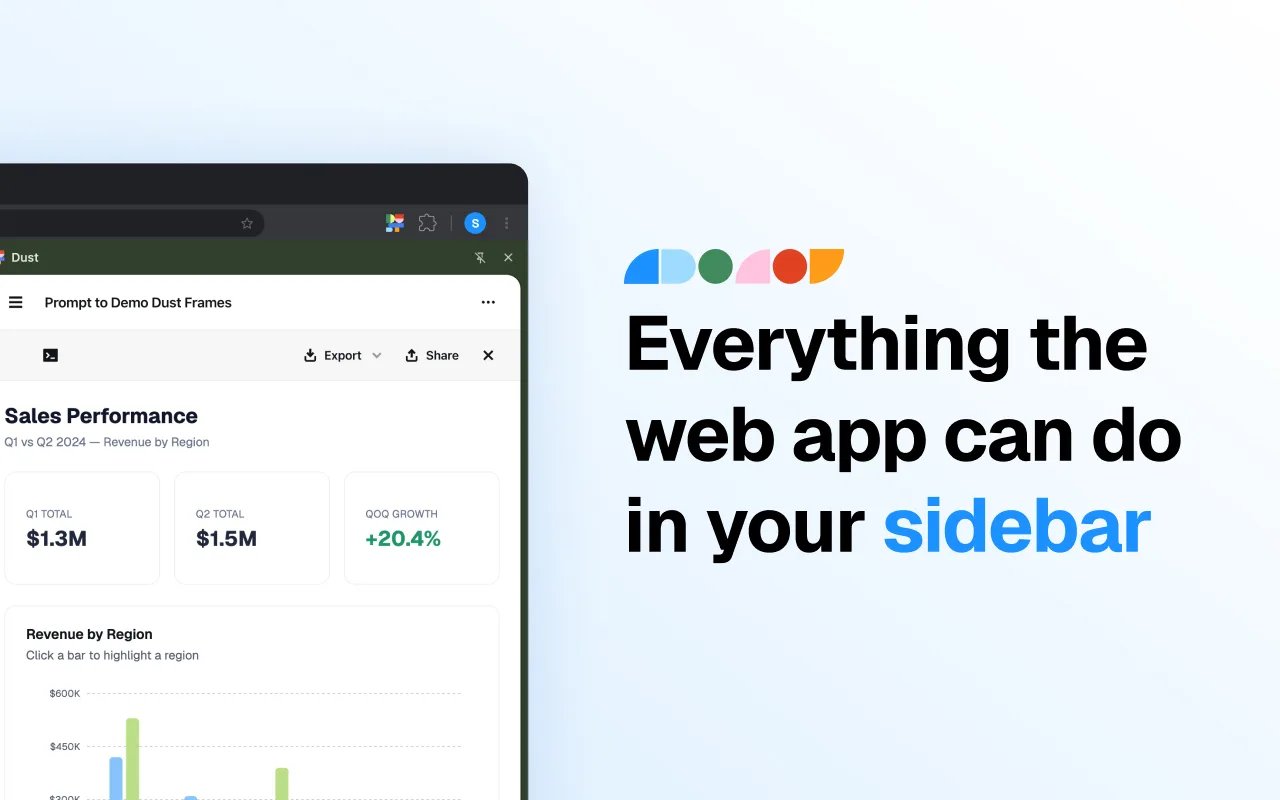
One thing that doesn't fully come through in a description of workflows is how much Nic uses Frames throughout his day as a core sales tool. Frames are custom interactive web apps that Dust can generate and that Nic has built for almost every recurring need.
He has Frames for pilot engagement plans, champion documentation (what should your internal champion say when someone asks how this is different from ChatGPT?), business cases, post-call recaps, his interactive sales deck, and his morning briefing hub. When a customer's eval team sent him their internal criteria, he had a Dust agent process it and build a Frame to help his champion respond to each question internally.
"It's just being able to create a website to solve a problem. For me as a salesperson, I want to convey information. That's my job. And making an easy, beautiful way to convey information is just something you can do now."
Nic Siegle is an Account Executive at Dust.