Mentions: Collaborate better, together
 Pauline Pham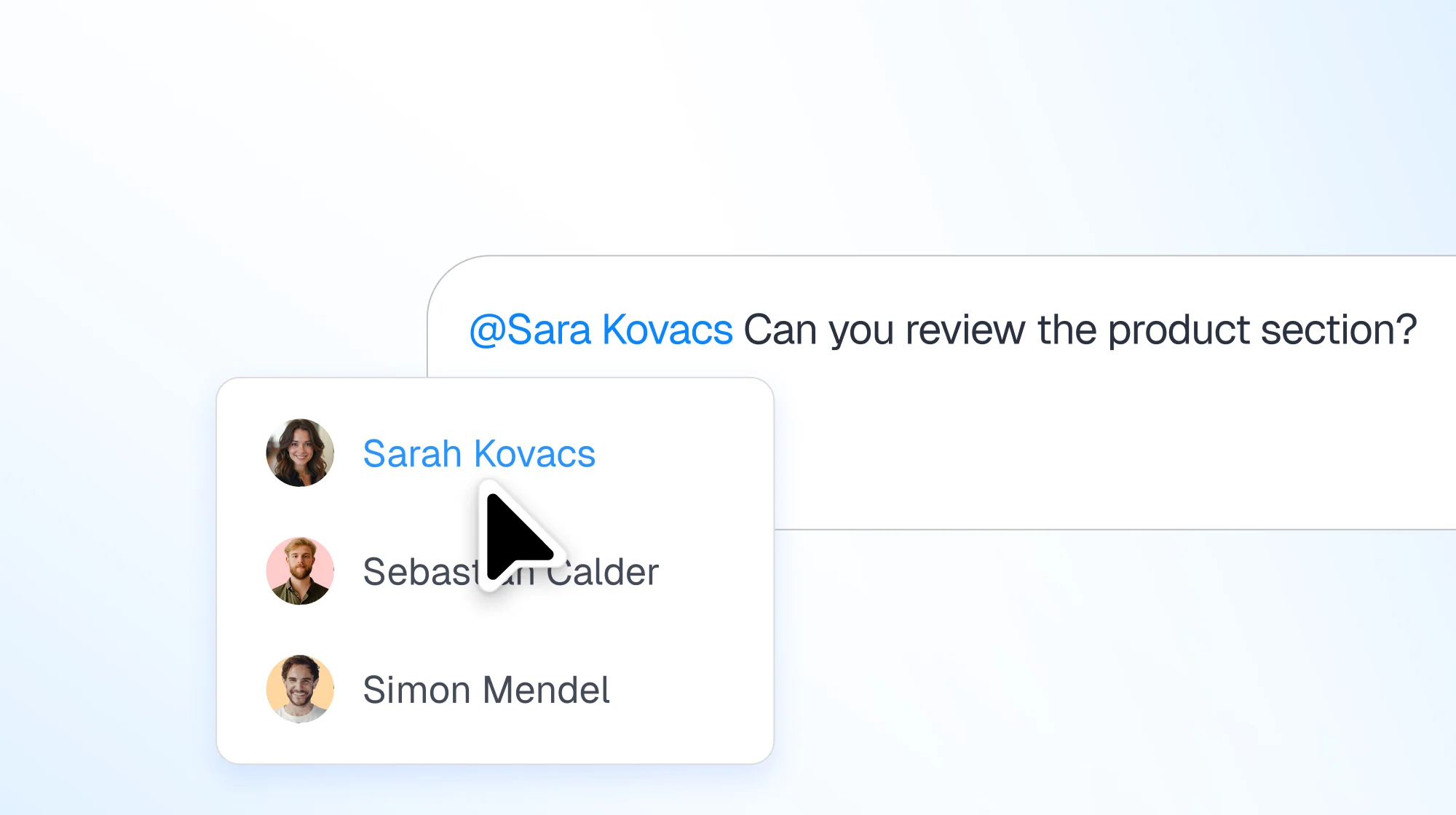
When we started building Dust, we saw a future where AI agents work alongside humans. But here's what we learned from watching how teams actually use Dust: the best work happens when humans and AI agents can seamlessly collaborate, coordinate, and hand off tasks to each other.
Today, we're launching mentions: a feature that changes how teams collaborate in Dust.
How Mentions Work in Dust
Mention teammates in any conversation
Type @ and mention any member of your workspace. They'll be added to the conversation and notified immediately. No more copying links, forwarding messages, or wondering if someone saw your question.
Your inbox keeps you on top of what matters
A new inbox at the top of your conversation list shows exactly where your attention is needed: conversations where you're mentioned, new messages in threads you're following, and conversations where agents are waiting for your input.
Agents can mention you
For the first time, AI agents can @ mention specific team members when they need input, approval, or expertise. This unlocks powerful new workflows: routing agents that direct questions to the right teammate, approval workflows where agents ping the decision maker for sign-off, and automated reports that notify stakeholders when results are ready.
Why We Built Mentions: Use Cases We Couldn't Ignore
We've watched customers build routing agents that need to connect users to the right specialist. We've seen teams struggle to coordinate when an agent surfaces something that requires human judgment. We've heard from managers or security teams who want visibility into their team's AI-assisted work without micromanagement.
The common thread? Collaboration isn't just human-to-agent anymore. It's humans working with other humans through agents. It's agents coordinating between team members.
How Teams Use Mentions in Dust
Expert routing at scale
Customer support teams use routing agents that analyze incoming questions and @ mention the person who can best help: automatically connecting customers to product experts, account managers, or technical support based on context.
Cross-team coordination
A sales agent analyzes call transcripts and @ mentions product managers when customers request specific features, ensuring feedback reaches the right team without manual triage.
Automated reporting with accountability
Weekly performance agents generate reports and @ mention team leads, creating a clear audit trail of who needs to review what.
Collaborative problem-solving
Engineers @ mention colleagues directly in conversations with their code review agent, turning agent interactions into natural team discussions.
Get Started with Mentions
If you're already using Dust, mentions are live now. Just type @ in any conversation to mention a teammate.
Building agents that mention people? Add instructions like "When you need input on X, @ mention [teammate name]" to your agent configuration. The agent will learn to bring the right people into the conversation at the right time.
Not using Dust yet? Get a demo to see how collaborative AI can transform your team's work.
Technical notes: Mentions work everywhere agents do: in conversations, triggered workflows, and scheduled reports. Mentioned users are automatically added as conversation participants with full context. The inbox aggregates mentions, unread messages, and conversations requiring your attention into a single view.
✍️ Read the guide, and join our Slack community to share how you're using mentions.